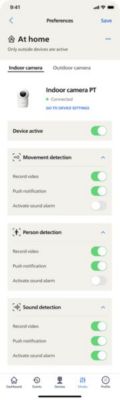
I receive too many notifications from my Philips Home Safety Camera
Adjust sensitivity settings
You can modify the sensitivity settings of your camera by following these steps:
-
Navigate to the “devices” section.
-
Tap on ‘’settings’’ of the camera whose sensitivity you want to adjust
-
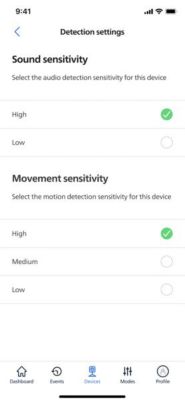
Go to ‘’detection settings’’.
-
Adapt the sensitivity levels for sound or movement according to the environment in which the camera is located.
Manage notification settings for mode
You can disable notifications completely for specific modes by adjusting the settings:
-
Navigate to the “modes” section.
-
Tap on ‘’edit’’ for the mode you want to modify.
-
Select the camera that you want to adjust.
-
Disable push notifications for movement, person, and/or sound detection as per your preference.
-
Tap on ‘’save’’ to apply the changes.
If none of these steps work for you, please contact us for further assistance.